What is HelloShift & Basics
Overview of how HelloShift helps your property and key features
What is HelloShift?
HelloShift is a hotel operations platform that helps you run your hotel efficiently using a single app to communicate with staff and guests.
Hotel guests receive automated, routine messages, consult hotel digital guidebook, and pre-checkin via their mobile device. Hotel staff use HelloShift to work together across buildings, floors, shifts, and departments with up-to-date visibility into room status via the Housekeeper mobile app.
Key Features
Staff Collaboration
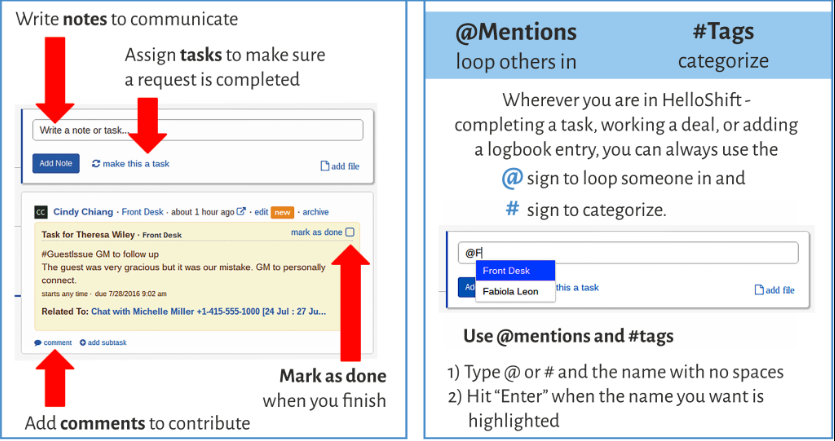
HelloShift uses a easy and familiar Facebook-like interface for communication -- both internal for staff and external with guests. You don't have to look for hard-to-find modules and or use complicated forms -- enter everything in one input box with (@) mentions and #tags. You can also create tasks for a department or a user and complete recurring checklists.
Guest Messaging
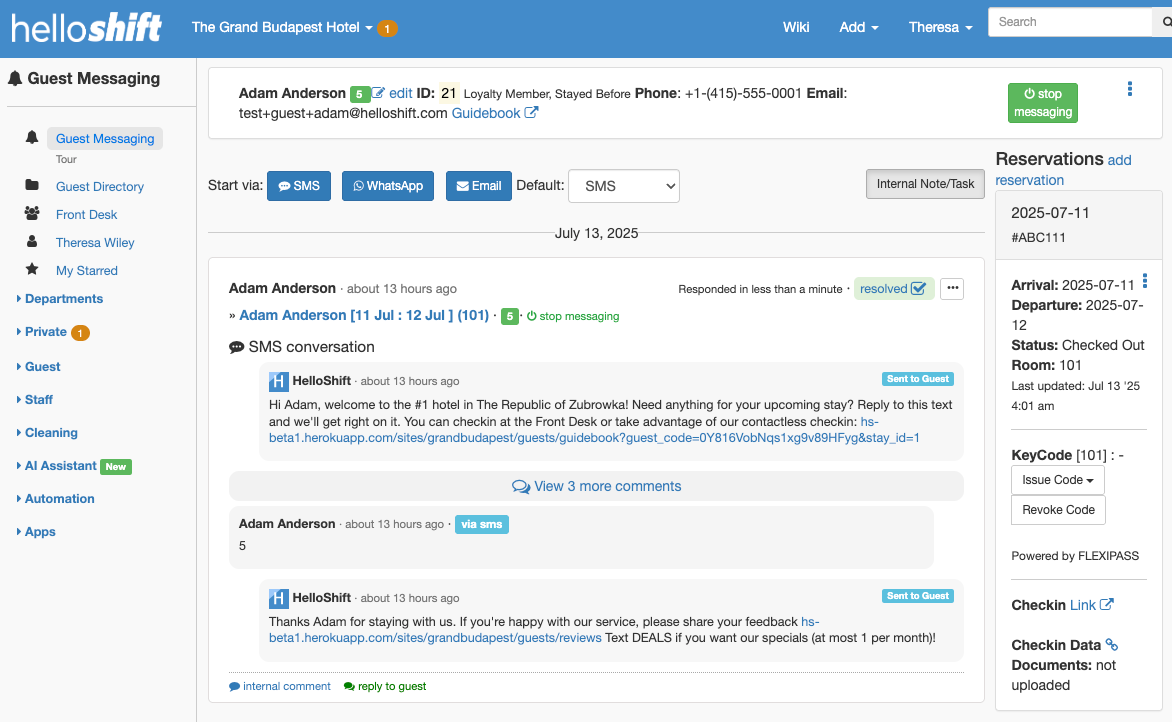
HelloShift integrates with your PMS to import guest reservations or you can manually add guest reservations. Based on reservations, HelloShift automatically sends helpful texts at key points in the guest lifecycle, such as before check-in. While your guests see all messages coming from the same hotel phone number, multiple staff can use HelloShift to send messages to the guests.
Housekeeping
Housekeeping app helps housekeeping manager to easily assign rooms to cleaners. Everyone at the property can see at a glance the status of all of the housekeeping tasks and with PMS integration, the room status is updated the moment a room is cleaned and inspected.
AI Assistant
AI Assistant is trained on your hotel data. Once trained and configured, the AI Assistant handles routine guest questions, frees up your staff, and delivers instant, human-like responses 24/7.
Basics
How to Log into HelloShift
Login to app.HelloShift.com/<shortname>
First time logging in with email: use the invite link from welcome email to set your password. Your username is your email.
First time logging in without email: find your username and password from your Admin. After logging in, Reset Password:
Click on your name in the top right and choose “My Profile."
Click the blue “edit” link.
Enter your new password twice and click “update”
Install HelloShift iPhone or Android App
The Front Desk uses HelloShift on the Front Desk computer. We recommend using the Google Chrome with notifications enabled. Mobile staff like the Executive Housekeeper and Engineering use the HelloShift iPhone and Android apps through the hotel’s WiFi.
iPhone: iTunes App Store
Android: Google Play Store
Turn Mobile Notifications ON
Click on your name in the top right and choose “My Profile” and update Notification settings:
For Staff Collaboration, turn ON for Departments you are interested in.
For Guest Messaging, turn ON Guests under Departments.
Additional notifications like Guest Issues or Room Cleaning updates can also be turned ON.
Understanding the HelloShift Homepage
For hotels on Staff and Guest plan, you see both staff and guest communication at once in one place.
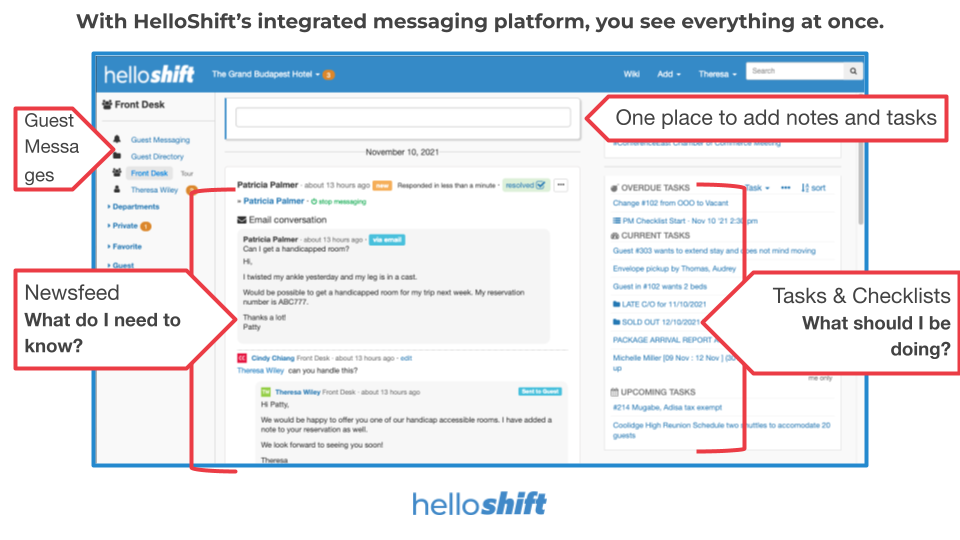
By default, the Homepage is the feed page for your department or your own feed (if no department e.g. GM). You can also change your Homepage: Click on your name in the top right, choose “My Profile” and update Home Wall from the dropdown.
For hotels on Guest plan only, the home page shows a simplified guest messaging page without Staff components.
How do I use HelloShift?
HelloShift interface is like Facebook. It is fast, easy, and familiar -- enter everything in one field with (@)mentions and #tagging.
How can I get support from HelloShift?
Contact us at support@helloshift.com or chat with us using the widget at bottom right.